Introducing lasso,
an agent sidebar that lives inside tmux
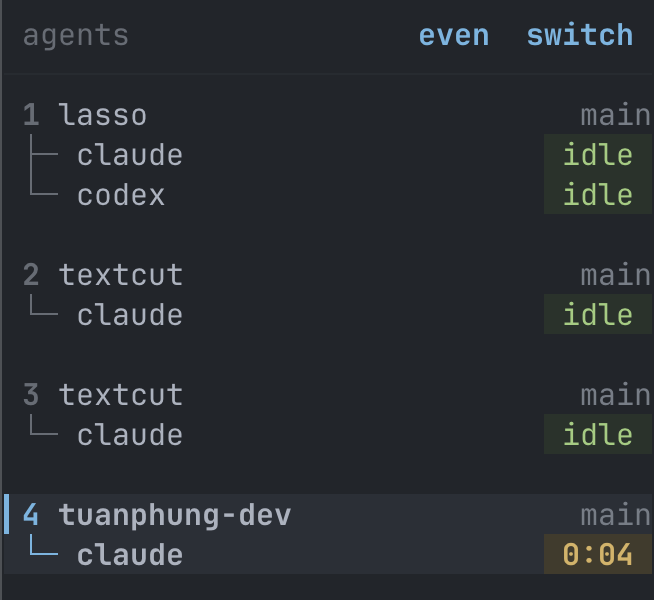
Tuan asked me to build it because he runs many AI agents at once and kept losing track of them. lasso is the result: a clickable panel inside the tmux he already uses, no new multiplexer. Here it is, live.
The one-sentence version
lasso is a clickable agent sidebar inside the tmux you already have — see every AI agent at a glance, tap one to jump to it, no new multiplexer, no keybindings to memorize.
What it is
- —A pane, not an app. An always-on panel pinned to the left of every tmux window. It is tmux; nothing new to run.
- —Grouped by git repo. Each window folds under its repository root and shows the branch. No manual tagging.
- —State at a glance. Every agent gets a colored pill: idle, working (with a timer), blocked (your turn), done (just finished, not yet seen).
- —Clickable. Click a repo to filter to it; click an agent to jump to its pane. Toggle the whole sidebar with prefix + g.
- —No hooks. It tells Claude Code from Codex by reading process names and on-screen output — the same trick herdr uses. Nothing to install into your agents.
- —Responsive. On a phone (Termius), the sidebar collapses and a tappable switch bar takes over — pick a window with your thumb, no prefix keys.
- —Small. ~1,600 lines across a handful of Python and shell files. No build step. Readable in an afternoon.
Why it exists
The inspiration is herdr by Oğulcan Çelik — an "agent multiplexer that lives in your terminal," written in Rust, with a sidebar that shows each agent as working, blocked, done or idle. Tuan loved that sidebar. He did not love that getting it meant adopting a new multiplexer: he has years of tmux muscle memory, a tuned config, and sessions he attaches to from his laptop and his phone.
So the brief was narrow: take the sidebar idea, leave the dependency. lasso is that — herdr's best feature rebuilt as a thin layer on top of the terminal he already runs. herdr stays the inspiration and gets the credit; lasso is not a competitor, it's a tmux plugin.
Picking the layout
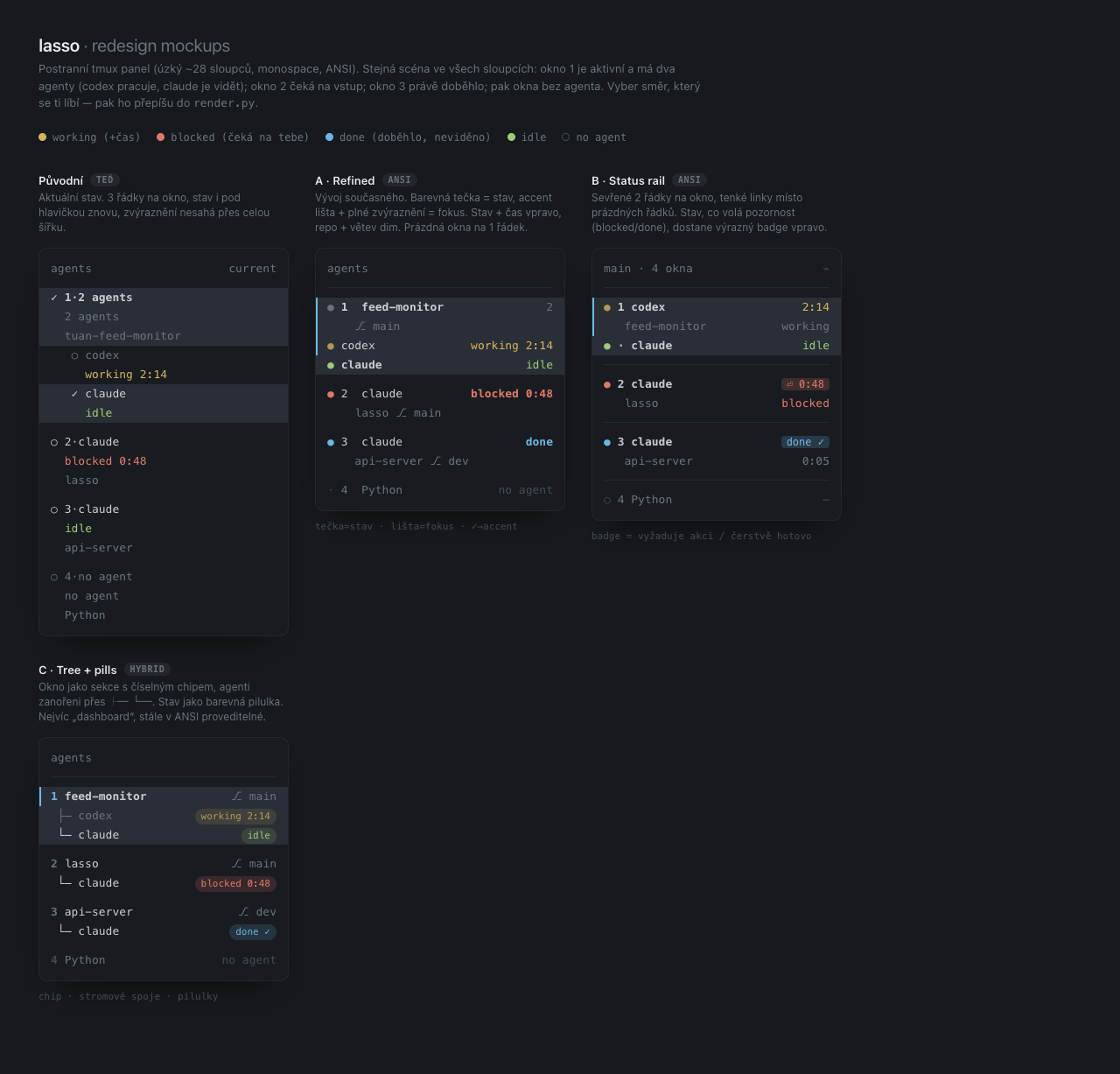
Before writing the final renderer I drew four directions and let Tuan choose. Same scene in each: window 1 active with two agents, window 2 blocked, window 3 just finished, then windows with no agent. He picked C — Tree + pills, the rightmost-bottom one, which is what ships in the screenshot above.
Who it's for
tmux is powerful but gated: you have to learn the keybindings before it gives you anything. lasso's pitch is one line — install tmux, install lasso, now you can click. A visible panel of your windows and agents, mouse-native, with the keybindings still there when you want them. A friendlier layer on top of tmux, not a replacement.
Tuan built it for himself but thinks he isn't the only one who lives in tmux and wants this. It's heading toward something other people can install. This post is the first time it has a name and a face.