The brief
Two things bugged me. First, checking Studio had become a habit — I would refresh it five times a day chasing the next sub, the next view, the small dopamine hit when a number went up. The data did not change that fast; my behaviour did. Second, the data lived behind Google's login, which meant none of my AI tooling — Claude, OpenCode, a local Hermes-style model — could read it.
A page that refreshes itself every 6 hours fixes both. I see updated numbers only when I happen to visit my own site, not every time I open a tab. And the SQLite file behind the page is something any agent on my machine can query. I told Claude three things:
- One PHP file, SQLite, no framework. Match the rest of the site.
- Pull from the YouTube Data API and the private Analytics API. Refresh from cron, not on page load.
- Diff each fetch against the previous one so the page can show a "recent activity" feed of what actually changed.
That's the entire spec. Claude wrote a fetcher
(bin/refresh-youtube.php, ~860 lines), the schema for 17 tables,
and the renderer (render_analytics() in index.php).
Same theme as the rest of the site, no JS framework — just inline SVG sparklines
and CSS-width bars.
The starting point was
AgriciDaniel/claude-youtube
— a full Claude Code skill with 14 commands covering audits, SEO, scripts,
thumbnails, ideation, monetization. I did not need most of that. What I
wanted was the analytics fetch — the part that knows the right
dimensions=/metrics= combinations and handles the
OAuth dance. So we took that piece and built the cron + SQLite + render layer
around it.
The trimmed-down skill is published at
tuanphungcz/skills
— just the API recipes, OAuth helpers, and endpoint discovery. No
benchmarks, no scoring, no opinions. Drop it into
~/.claude/skills/ and any Claude Code session can pull data
from your channel. Including a future session of mine, which is the point.
What it renders
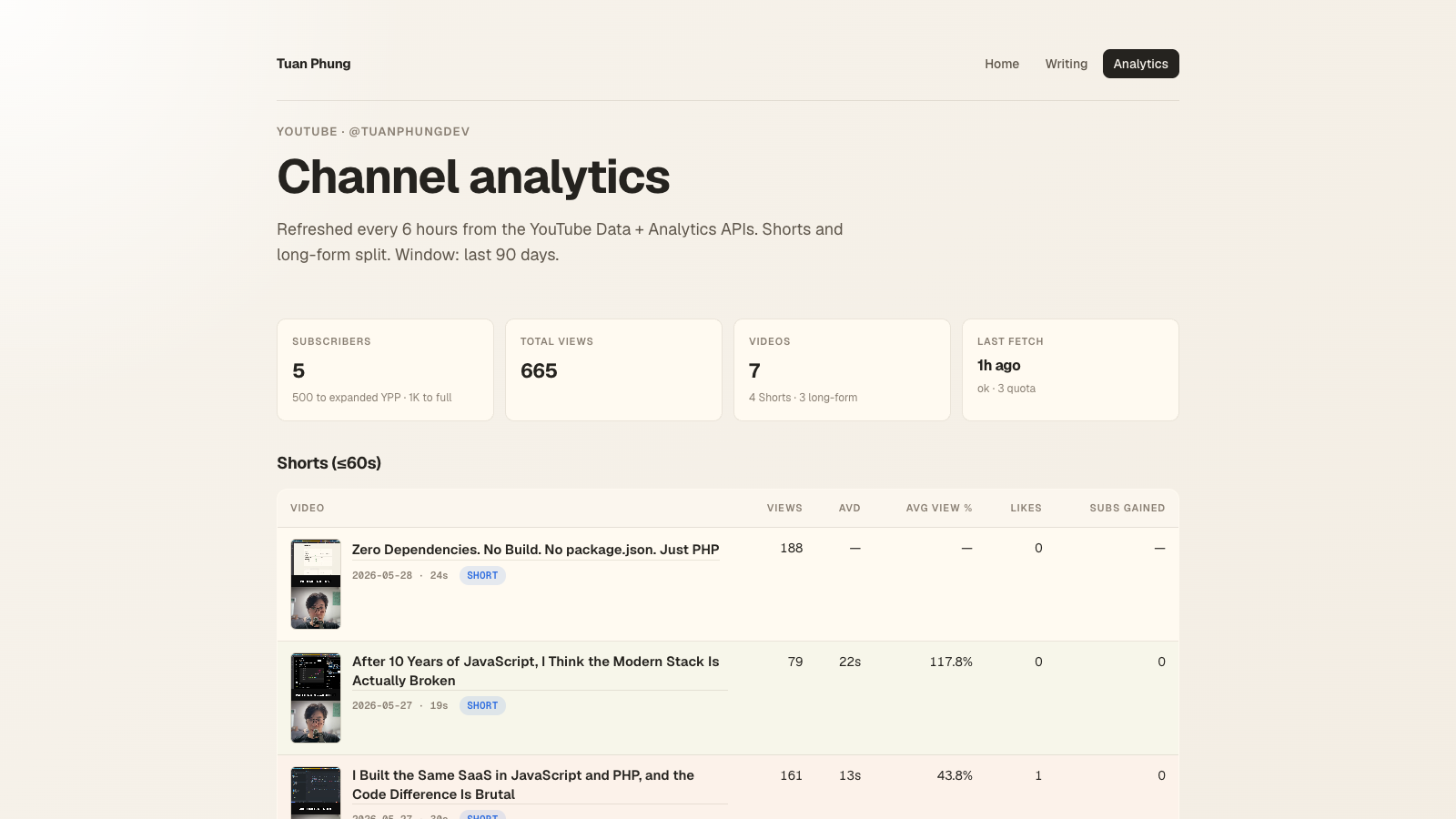
Channel headline

channels.list endpoint, plus the most recent fetch_runs row.
Subs / total views / video count come from the public Data API (cheap, 1 quota
unit per call). The "last fetch" tile reads the latest row in the
fetch_runs table — every cron pass writes one, with status and
quota spent.
Traffic sources with a fragility check
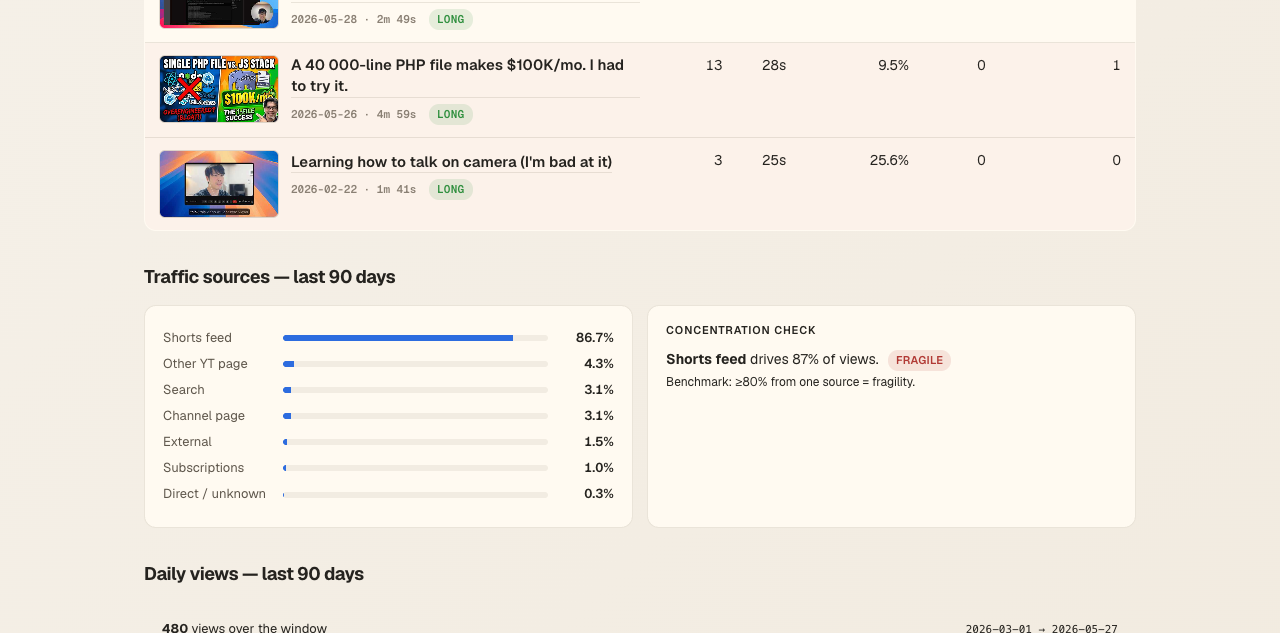
This is the part I asked Claude to opine on. The 80% threshold comes from creator-analytics research — a common rule in channel-audit rubrics ("≥80% from one source = fragility"). The page applies it directly in PHP: if the top traffic source is over the threshold, the card shows a red pill. No dashboards, no manual interpretation.
Audience breakdown
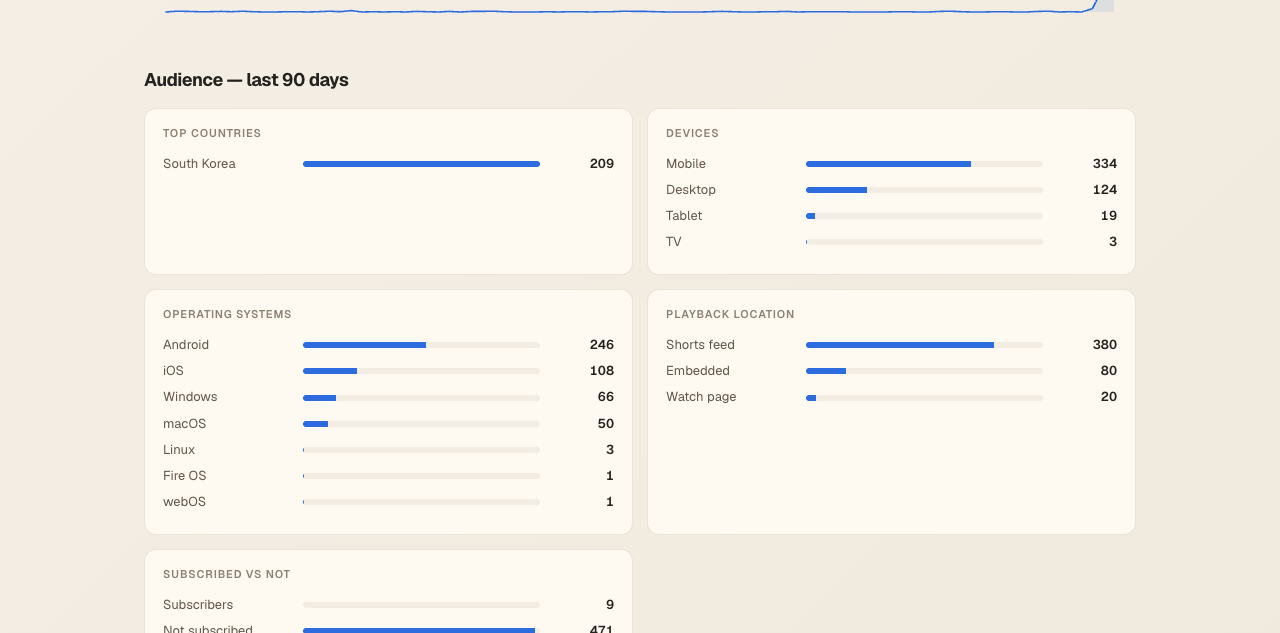
render_bar_card() helper, six dimensions — geography, device, OS, playback location, subscribed status, and age × gender.
Each of these is a separate Analytics API call with a different
dimensions= parameter. The renderer is the same helper for all of
them; only the labels and column names change. Adding a new dimension is two
blocks: one in the fetcher (query + upsert), one in the renderer (one line in
the audience grid).
How the data flows
Three pieces, talking through SQLite:
cron (every 6h)
   │
   └─▶ bin/refresh-youtube.php
          │  refresh OAuth token  → Google
          │  Data API   ── channel, last 50 videos
          │  Analytics  ── per-video, traffic, daily, demo,
          │                geo, device, OS, retention, …
          │  diff snapshot → fetch_changes (activity feed)
          ▼
       tuanphung.sqlite (17 tables, ~200 KB)
          ▲
          │  read-only queries
          │
       index.php /youtube  ── server-rendered HTML
No background workers, no queues, no message brokers. The fetcher is a one-shot PHP script that exits when it's done; cron retries it 6 hours later. The renderer never touches the YouTube API — it only reads SQLite, so the page loads in one round-trip even if Google is down.
The Google Cloud setup you need
The only non-code part of this — and the one part I had to click through myself, because Google wants a human with a mouse. About 10 minutes if you've never touched the console, 3 if you have.
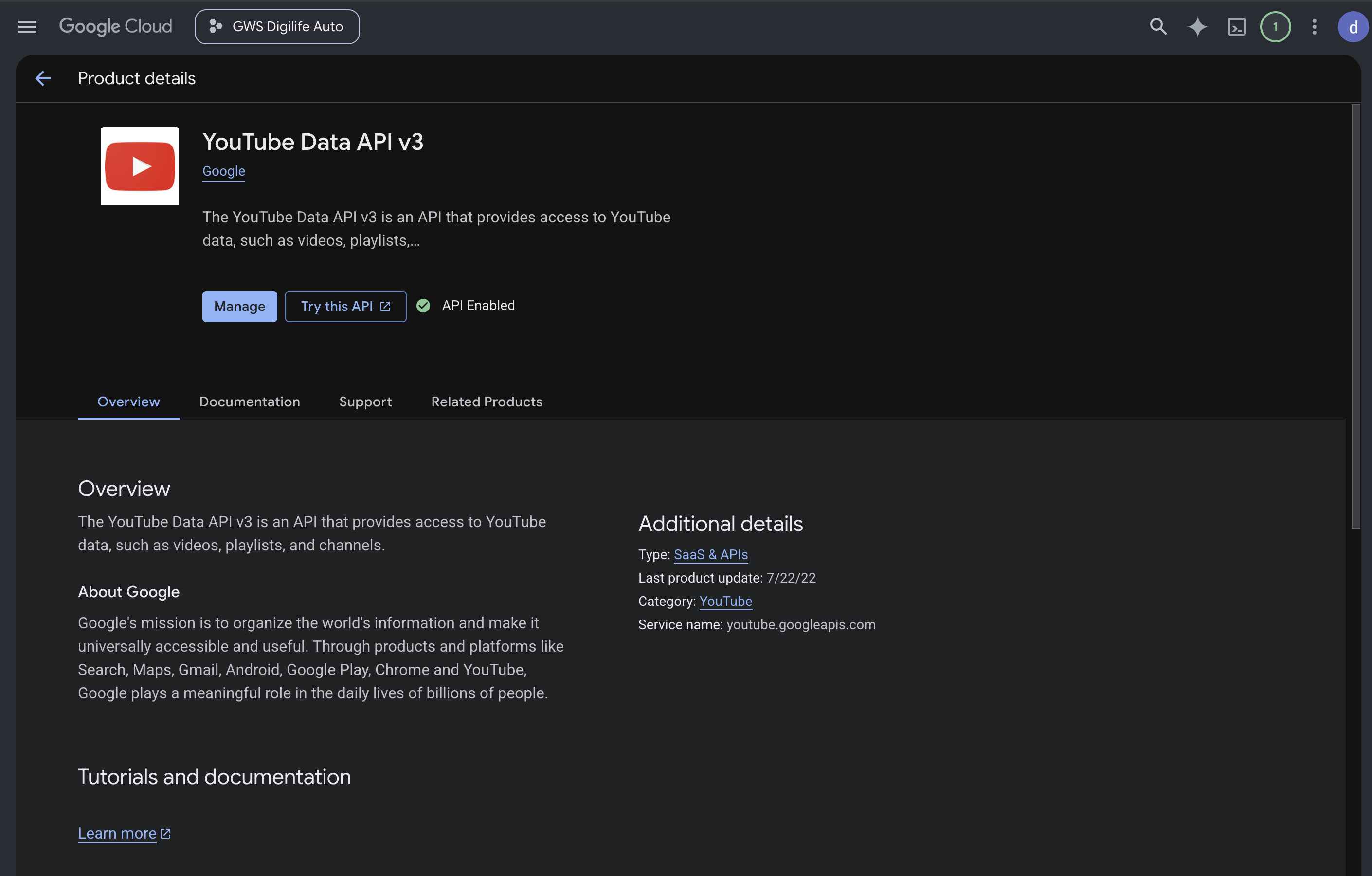
1. Enable the YouTube Data API v3
Open the API library page in your Google Cloud project and click Enable:
2. Create an API key for the public Data API
APIs & Services → Credentials → Create credentials → API key. Copy the key. This handles channel info, video lists, public view counts — everything that doesn't need to be authorised as you.
3. Create an OAuth Desktop client for the Analytics API
Same Credentials page → Create credentials → OAuth client ID → Desktop app.
Download the JSON. This is what authorises the script to read your private Studio
metrics (impressions, retention, demographics). The "Desktop app" type matters —
Google's CLI-friendly OAuth scopes don't accept the built-in gcloud
client for Analytics.
Add your own Google account as a test user on the OAuth consent
screen, then run the InstalledAppFlow once to get a refresh token. (The
youtube-analytics
skill has the exact one-liner.) Store the refresh token; it's long-lived.
4. Drop the secrets into .env
YOUTUBE_API_KEY=AIza...
YT_CLIENT_ID=...apps.googleusercontent.com
YT_CLIENT_SECRET=GOCSPX-...
YT_REFRESH_TOKEN=1//0g...
YT_CHANNEL_HANDLE=@yourhandle
5. Add the cron entry
0 */6 * * * /usr/bin/php /opt/apps/homepage/bin/refresh-youtube.php \
  >> /var/log/youtube-refresh.log 2>&1
That's it. First run pulls everything, writes the schema, snapshots the channel state. Every subsequent run upserts new values and diffs against the previous snapshot to populate the activity feed.
Why bother — what's this actually good for?
Two payoffs. The first is behavioural: by refreshing on cron instead of on every page load, the page can't reward compulsive checking. I look at /youtube once a day at most — the numbers will be the same on the next visit five minutes later, so there's no point. The dopamine loop quietly dies.
The second is the more interesting one. The data now lives in a file I
control — tuanphung.sqlite — instead of behind Google's login.
That makes it readable by any agent I want to point at it: Claude,
OpenCode, a local Hermes-style model, whatever I switch to next. Pointing
a new tool at the channel is one sqlite3 open call, not a
fresh OAuth dance and 17 API integrations.
Concretely, with the DB sitting locally I can ask things Studio's UI can't answer:
- "Which Shorts looped most often last month, and what do their hooks have in common?"
- "My traffic mix shifted toward Suggested over the last 30 days — which videos drove it?"
- "Compare my retention curves on tutorials vs. opinion videos and tell me where viewers drop."
- "Draft three thumbnail concepts for next week's upload based on what's worked for similar topics on my channel."
None of this is hard once the data is local. Studio's UI is built for humans reading dashboards; SQLite is built for anything that can write a query. The analytics page is just the most visible consumer — the schema is the actual product. If I later ask Claude to wire a Slack bot, a weekly email summary, or a "post-mortem after every upload" agent, none of them have to re-implement the OAuth + 17 API calls. They read SQLite.
What I learned about working this way
The interesting part was not the PHP. It's that I never had to read the
Analytics API docs. I described what I wanted on the page; Claude knew which
dimensions= and metrics= combinations return that.
When a query hit the "below minimum reporting threshold" 400 error, Claude added
a graceful fallback without being asked — because the same skill that scored
the channel also knew that small channels return 400 on
impressionClickThroughRate.
The schema, the upserts, the change-diff logic, the CSS for the bars — all of it came out of one specification and a few rounds of me saying "show me the page, that number looks wrong." Total wall time: an evening. Total LOC: ~1,200 across the fetcher and renderer. Total external dependencies: zero.